
AI engines keep your old name because their sources still use it: leftover pages on your site, old press, directories, review profiles, Wikipedia and LinkedIn. Fix your site and profiles first, then the sources engines cite most, and keep a “formerly [old name]” line for a year.
You rebranded months ago. The new site is live and the new logo is on everything. Then someone asks ChatGPT about you, and it answers with your old name, or describes the business you used to be.
Product renames and acquisitions run into the same problem.
The old name sits in two places: web pages you can find and change, and what a model learned in training, which no one can edit. Each one needs a different fix.
Key Takeaways
- An AI answer that cites sources is pulling the old name from pages you can find. An answer with no sources is usually repeating training data, which changes only with newer models.
- Your own site is the most common leftover: old blog posts, PDFs, image alt text, structured data and footers that the relaunch missed.
- Redirects move URLs. They don’t change the name printed on third party pages, so redirects alone never finish a rebrand.
- A visible “formerly [old name]” line helps engines connect the two names. Removing every trace of the old name makes the link harder to see.
- Expect retrieval based answers to shift within a few months of the cleanup, and training based answers to lag until newer models ship.
Why Does ChatGPT Use Our Old Name?
Because the sources it reads still use it, or because the model learned your old name before the rebrand. Engines that use live retrieval, such as Perplexity and ChatGPT with search, pick up changes as pages are updated. Answers from training data stay frozen until a newer model ships.
You can tell which issue you’re dealing with by looking at citations. If the answer lists sources, open them and search each one for the old name. That’s where it’s coming from. If the answer cites nothing, it’s likely coming from training data. Our LLM SEO guide explains the difference between the two in more depth.
Where Does the Old Name Usually Still Live?
On your own leftover pages, on profiles you control, on reference sites edited by volunteers, and in old coverage you can’t change.
| Where the old name lives | Why it persists | Who can change it | What to do |
|---|---|---|---|
| Your own old pages, PDFs, alt text, footers, schema | Missed in the relaunch | You | Search your site for the old name and update or redirect each hit |
| Old domain and URLs | Redirects missing, partial or pointed at the homepage | You | Page to page 301 redirects, plus Google’s Change of Address tool for a domain move |
| LinkedIn Page | Name changed but About and tagline weren’t, or a second Page was created | You, through LinkedIn’s process | Rename the existing Page and update every field |
| Review profiles such as G2 and Capterra | Vendor profile still under the old name or old category | You, sometimes with platform support | Update name, description and category; mention the old name once |
| Directories and company databases | Scraped once, rarely refreshed | You or the provider | Claim the listing, update it or request a correction |
| Wikipedia | Article written by volunteer editors | Editors, on request | Post an edit request on the talk page with sources |
| Wikidata | Label set before the rebrand | Anyone, with care | Update the label, keep the old name as an alias |
| Press, roundups, partner pages | Published before the rebrand | Publishers and partners | Ask the most cited ones for a one line update |
| Model training data | Learned before the rebrand | Nobody | Keep current sources consistent and wait for newer models |
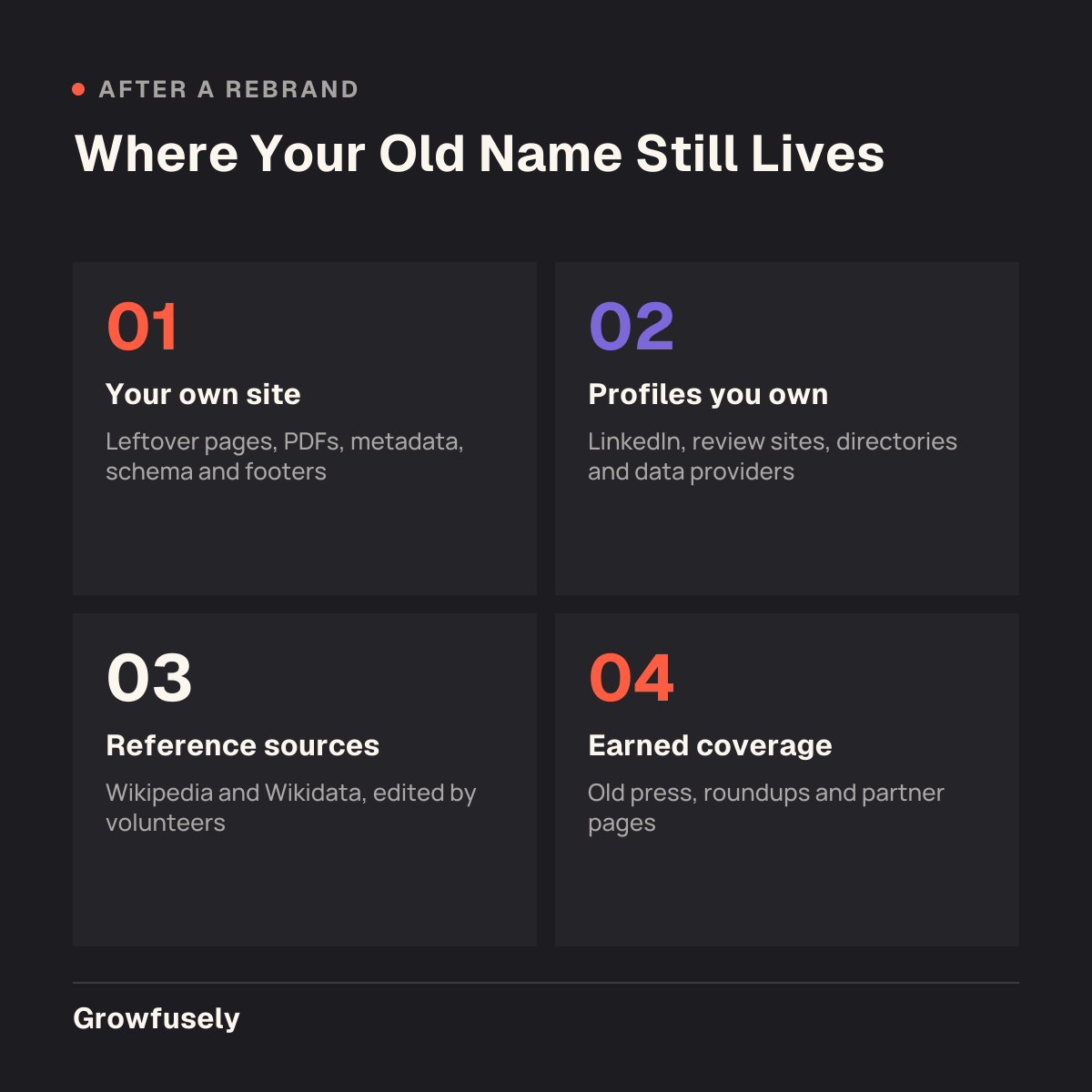
Review profiles matter, but less than most teams think. In our analysis of 1,739 AI citations, review platforms made up 7.3% of citations, while independent content and vendors’ own pages made up about 79%. Old articles and your own leftover pages matter more.
How Do We Find Every Place the Old Name Still Appears?
Ask the engines, open what they cite, then search the web and your own site for the old name. It only takes an afternoon to cover most of it.
- Prompt the engines. In ChatGPT, Perplexity, Gemini and Google AI Overviews, ask “What is [new name]?”, “What is [old name]?” and “Is [old name] the same company as [new name]?” Save each answer and its sources.
- Open every cited source. Note which ones still use the old name.
- Search your own site for the old name, including PDFs, image alt text, meta titles, structured data and the footer.
- Search the web for the old name in quotes, excluding your domain. A backlink tool export of pages linking to you helps find mentions on sites that link.
- List your owned profiles: LinkedIn, review sites, directories, app marketplaces, partner portals, job boards and data providers.
In my experience, the old name survives longest on pages nobody owns: a 2022 partner page, a conference speaker bio, a careers profile on a job board. They rarely rank, yet engines can still read them.
Repeat the same prompts each month. Our guide to measuring AI search visibility shows how to turn them into a simple scorecard.
What Should We Fix First?
Start with what you control and what engines cite most. Your own site first, then redirects, then owned profiles, then reference sources, then the most cited third party articles.
Your own site comes first because engines treat it as the primary source on your company. Owned profiles come next because each takes minutes.
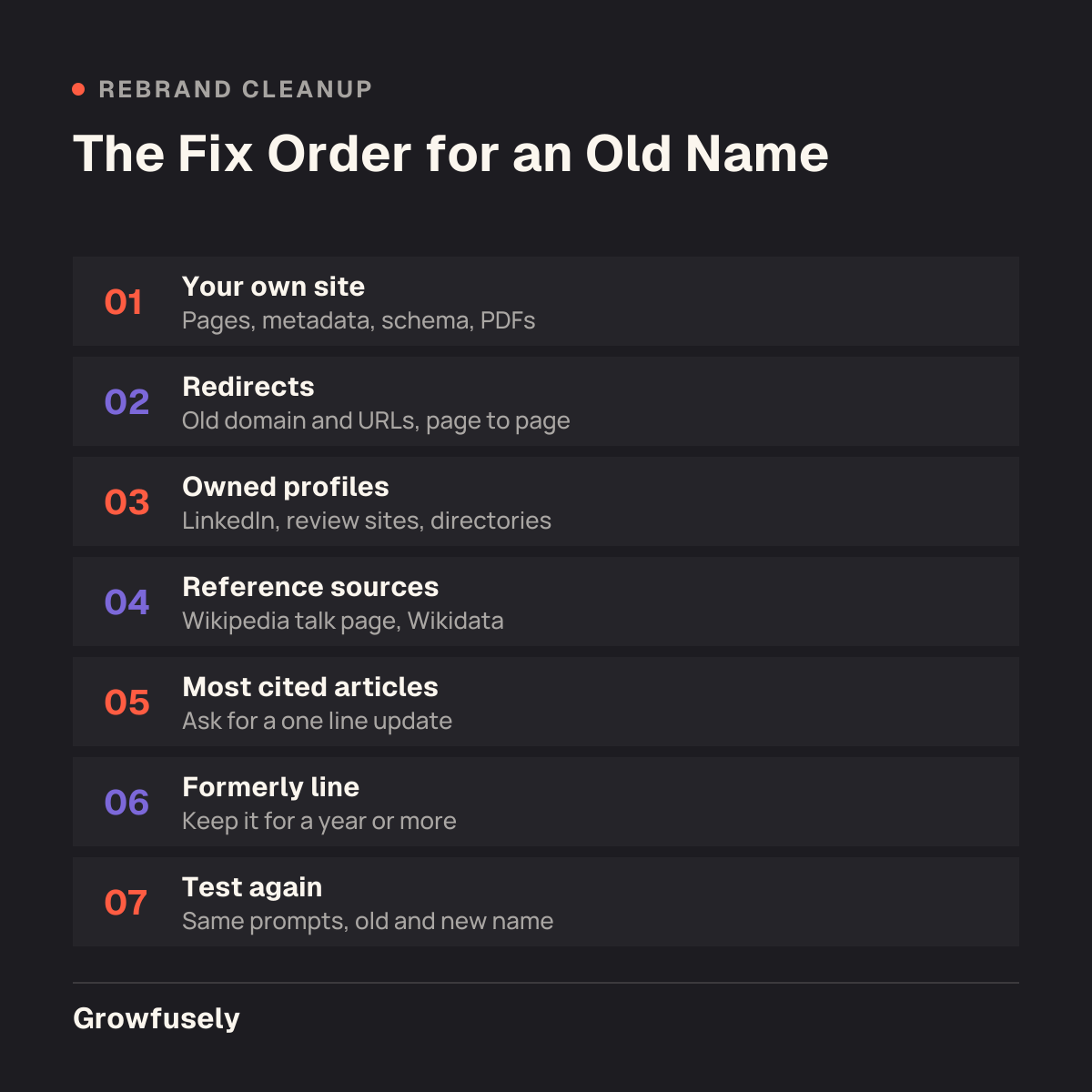
Third party outreach goes last, and only to sources that engines cite or that rank for your name. Chasing two hundred old articles nobody reads is wasted time. If engines also get your category or products wrong, our post on tracing wrong AI descriptions covers the wider fix.
We Moved to a New Domain and Set Up Redirects. Why Isn’t That Enough?
Redirects move people and crawlers from old URLs to new ones. They don’t change the name written on any page. A press article from 2023 still says the old name, even when its link to you redirects perfectly.
Keep the redirects anyway, and keep them long. Google’s Change of Address tool keeps its signals active for 180 days and asks you to maintain redirects “for at least 180 days”, and longer while they still get Google traffic (Google Search Console Help). John Mueller has recommended at least one year (Search Engine Journal, 2021). I’d keep them for good.
Map redirects page to page. Sending every old URL to the new homepage loses the context each page carried. Our post on traffic drops after a migration covers what goes wrong when this process is rushed.
Should We Keep Saying “Formerly X”, or Does That Keep the Old Name Alive?
Keep saying it. Engines need to see both names together to learn they’re the same company. A clear “formerly known as” line is how they make that connection.
Put it in a few deliberate places: your About page, the first line of your press boilerplate, your LinkedIn About section and your review profiles. Add the old name as an alternateName in your Organization structured data, which Google describes as “another common name that your organization goes by” (Google Search Central).
Publish one announcement post that states both names plainly and explains the change. We did this ourselves: Growfusely was formerly The20Media, and we published a short announcement post when the name changed.
Keep the line for at least a year, and keep it on the About page for good.
Can We Edit Our Wikipedia Page After a Rebrand?
Usually you shouldn’t edit it directly. Wikipedia’s conflict of interest guideline says connected editors “are strongly discouraged from editing affected articles directly” and should propose changes on the article’s talk page (Wikipedia).
Post an edit request on the talk page, disclose that you work for the company, and cite independent coverage of the rebrand. A trade press article about the name change helps more than your own announcement. If you pay someone to make the request, Wikipedia requires disclosure of that too.
Wikidata works differently. Update the label to the new name, keep the old one as an alias, disclose your connection and cite a source.
How Long Until AI Uses Our New Name?
Retrieval based answers typically shift within 1 to 3 months of fixing your site and main profiles. Training based answers wait for a newer model, often 6 to 12 months or more. These are typical ranges, and your category will move them.
| Stage | Typical range | What’s happening |
|---|---|---|
| Your site and owned profiles | 1 to 3 weeks of work | Edits, redirects and schema updates |
| Retrieval answers (Perplexity, ChatGPT search) | 1 to 3 months after the fixes | Pages recrawled, citations start showing the new name |
| Third party articles | Weeks to never | Depends on each publisher |
| Training based answers | Often 6 to 12 months or more | Waits for models trained after the rebrand |
Old and new names often coexist for a while. An answer that says “[new name], formerly [old name]” is a good sign, because the engine has connected the two.
What Can’t We Control?
Model training timing, old articles publishers won’t update, and the name buyers type. Accept those and spend your effort elsewhere.
Some buyers will ask about the old name for years. That’s fine if the answer connects it to the new one. Most publishers won’t edit archived articles either.
Most of this cleanup is a checklist, and it doesn’t need a retainer. An operations person can do the site, profiles and prompt audit in a few weeks. Be wary of anyone who promises to update ChatGPT’s training data. No one outside the model makers can.
What I’d Do in Your Situation
I’d spend the first week on what you control: a full search of your own site for the old name, a redirect check, Organization schema with alternateName, and every owned profile updated with a “formerly” line.
In week two I’d run the prompt audit on four engines and rank every cited source that still uses the old name. Then I’d send short update requests to the top ten to twenty and post the Wikipedia edit request.
I wouldn’t scrub the old name from everywhere. It needs to stay visible next to the new one for a year or more. I also wouldn’t send a press release just to repeat the new name, or chase old articles that no engine cites. I’d test the same prompts monthly and stop the outreach once answers settle.
Why Partner with Growfusely for a Rebrand That AI Engines Recognize?
We treat a rebrand as an entity problem. You have two names for one company, and every source engines read needs to connect them.
| What you need | What we do |
|---|---|
| To know where the old name lives | Prompt audit across four engines, with every cited source logged |
| Your own house in order | Site search, redirect map, schema and profile updates |
| The sources engines trust updated | Ranked outreach list and update requests to the most cited pages |
| Proof it worked | Monthly retest on old name and new name prompts |
Our approach draws on our analysis of 1,739 AI citations across 128 B2B software buying queries, which shows which sources engines lean on. If you’re mid rebrand, schedule a call and we’ll show you where your old name still shows up.
Conclusion
Your old name sticks around because pages still say it, or because a model learned it before the rebrand. You can’t speed up the second. You can fix most of the first in a few weeks: your own site, your redirects, your profiles, and the short list of articles engines actually cite.
Keep the “formerly” line up for at least a year while that happens, and rerun the same prompts each month so you can see when the answers change. If you’d like help finding where your old name still lives, schedule a call.
FAQs
Will a Press Release About the New Name Fix It?
Only if trade publications write about it. Independent coverage gives engines and Wikipedia editors a source that connects both names, while a wire release alone adds little. State “formerly [old name]” in the first line, pitch it to the publications your buyers read, and cite any coverage you earn.
Should We Delete Old Pages That Mention the Old Name?
Update them rather than delete them. A blog post that still gets traffic can keep its content with the company name corrected. If a page has no value, redirect it to the closest current page instead of letting it return a 404. Keep one page, usually your About page, that mentions the old name on purpose.
Does Organization Schema Help After a Rebrand?
It helps, as one signal among many. Set name to the new name, add the old name as alternateName, and list your current official profiles in sameAs so the profiles and the site point to each other. Schema can’t outweigh pages that say the old name, so fix the copy first and treat markup as reinforcement.
Can We Ask OpenAI or Perplexity to Update Our Name?
You can send feedback through each product, and it’s worth doing, but it rarely changes the next answer. What changes answers is the sources the engines read. Our post on what to do when AI describes your product wrong covers feedback channels and source fixes in more detail.
What If Our New Name Is Shared with Another Company?
Then confusion with the other company is the bigger risk. Use your full name consistently, pair it with your category in key places (“[name], the [category] company”), and keep sameAs links in your schema pointing to your own profiles. Check prompts monthly for answers that mix your facts with theirs, which is a form of entity drift.

Pratik Dholakiya is the Founder of Growfusely, a SaaS SEO and AI Search Visibility agency.
