
Contrary to what many professionals believe, content marketing isn’t as simple as churning out article after article to populate your website with SEO-friendly content. Neither is it as straightforward as posting mediocre content on social media twice a day (and calling it a day).
Sure, in its nascent stages as a field, it may have started out along those lines over a decade ago. But today, it’s a multi-faceted operation: driven by SEO (and GEO), backed by AI, and typically optimized across at least three to four channels.
With so many moving parts, the ROI you derive depends on using the right tools for each task (from finding what to write, to distributing it at scale, to analyzing what worked).
Unfortunately, when you’re looking to build a great toolkit, you’re spoilt for choice. Content marketing tools are now dime a dozen, and this can easily lead to analysis paralysis.
That’s why we’ve curated this list: to handpick the very best content marketing tools of 2025. The ones that actually save you time, fit your strategy, and make your content work harder. Each tool in this guide is purpose-built for a specific part of the content marketing workflow, whether that’s SEO, writing, design, email outreach, analytics, or repurposing.
Let’s dive right in.
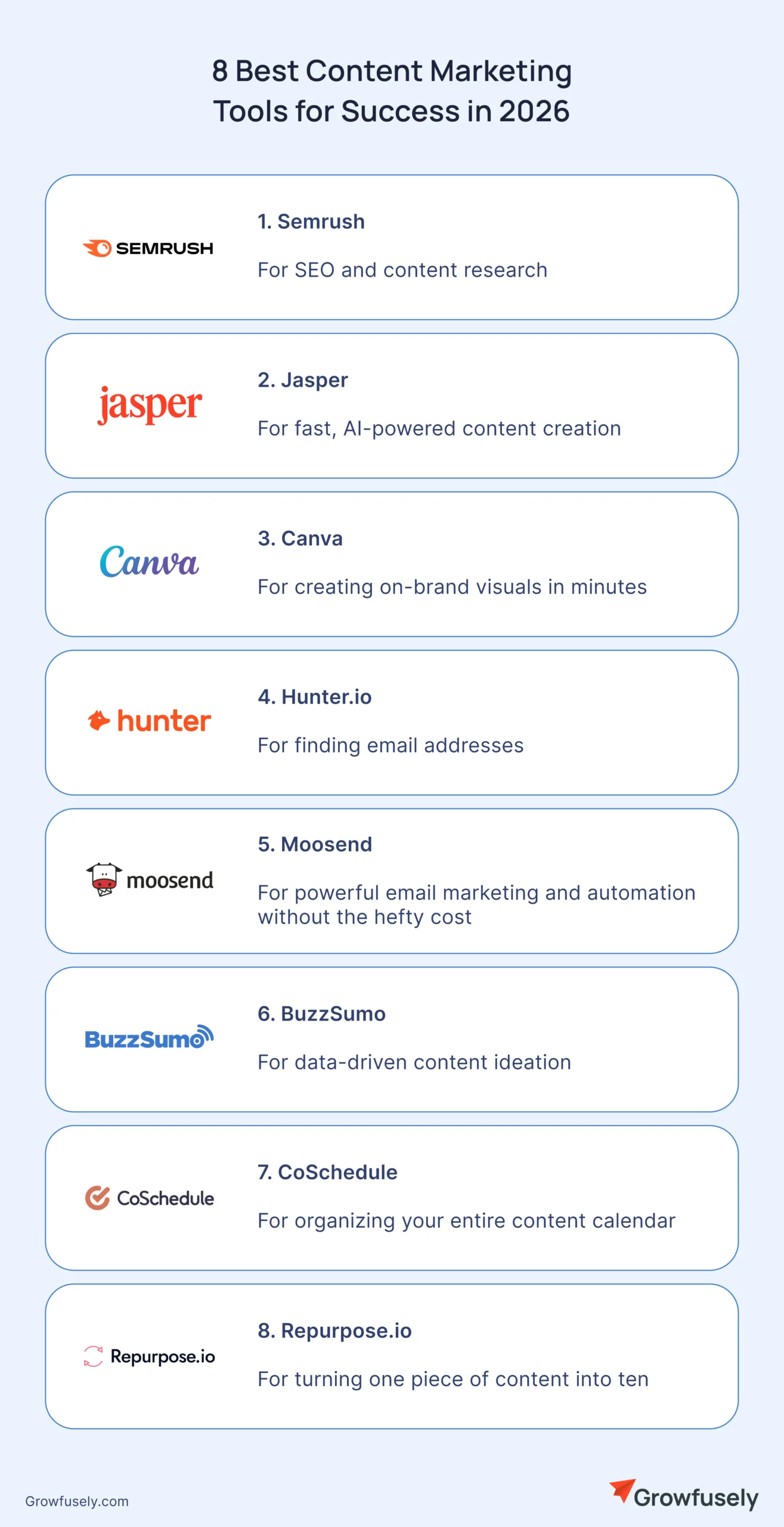
1. Semrush (for SEO and Content Research)
Writing content without proper planning is akin to shooting arrows in the dark. It won’t land anywhere, won’t get seen, and might as well not exist.
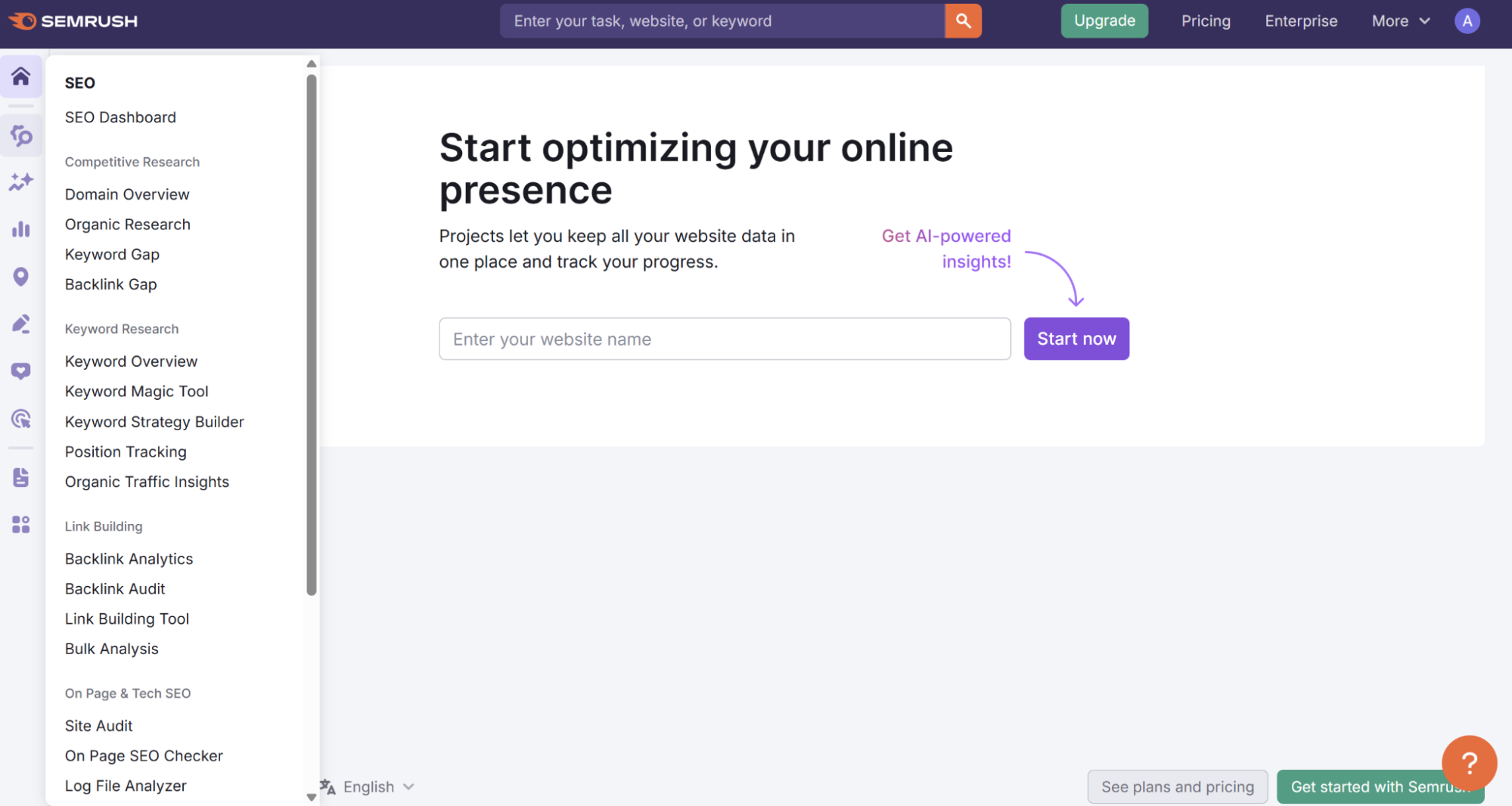
Semrush is an all-in-one SEO and content marketing suite that’s designed to help teams ensure their content is strategically made for maximum discovery. It arms you with everything you need to plan, optimize, and track your content’s performance in search.
Whether you’re digging for long-tail keywords, analyzing your competitor’s content, or crafting briefs that writers can run with, Semrush handles it all with surgical precision.
Key Features
- Keyword Magic Tool: Find profitable keywords and topic clusters with real search volume, intent, and difficulty scores.
- SEO Content Templates: Generate real-time content briefs based on what’s ranking today—complete with tone, structure, and semantically related keywords.
- Content Audit Tool: Identify underperforming blog posts, outdated pages, or keyword gaps and get specific recommendations to improve them.
- Competitive Analysis: Spy on what your competitors are ranking for and reverse-engineer their success.
- Position Tracking: Monitor how your content ranks over time across different regions, devices, or custom keyword sets.
Pros
- Unmatched depth of keyword data, perfect for high-ROI content targeting.
- Pairs SEO insights with actionable content guidance, making it a true end-to-end platform.
- Easy to spot content gaps in your site vs competitors.
- Includes bonus tools like backlink analysis, brand monitoring, and social scheduling.
Cons
- The interface can feel overwhelming at first, especially for non-SEOs.
- Advanced content features are locked behind the Guru plan or higher.
- Pricey if you’re just looking for keyword research or basic tracking.
Best For
Content marketers, in-house teams, and agencies that want to take the guesswork out of SEO and build a serious content engine that brings in organic traffic month after month.
Pricing
Free plan with very limited data.
- Pro: $139.95/month. Ideal for freelancers and early-stage marketers.
- Guru: $249.95/month. Includes content marketing toolkit, historical data, and branded reports.
- Business: $499.95/month. Designed for agencies and large teams.
All plans come with a free trial, and occasional discounts are available on annual plans.
2. Jasper (for Fast, AI-powered Content Creation)
For most businesses, content is a means to an end: better organic reach and conversion rates. To achieve that, they need to pump out content at scale (while ensuring quality).
However, creating high-quality content at scale is a grind. Writers hit mental blocks. Deadlines pile up. And don’t even get us started on trying to maintain a consistent tone across multiple formats and campaigns.
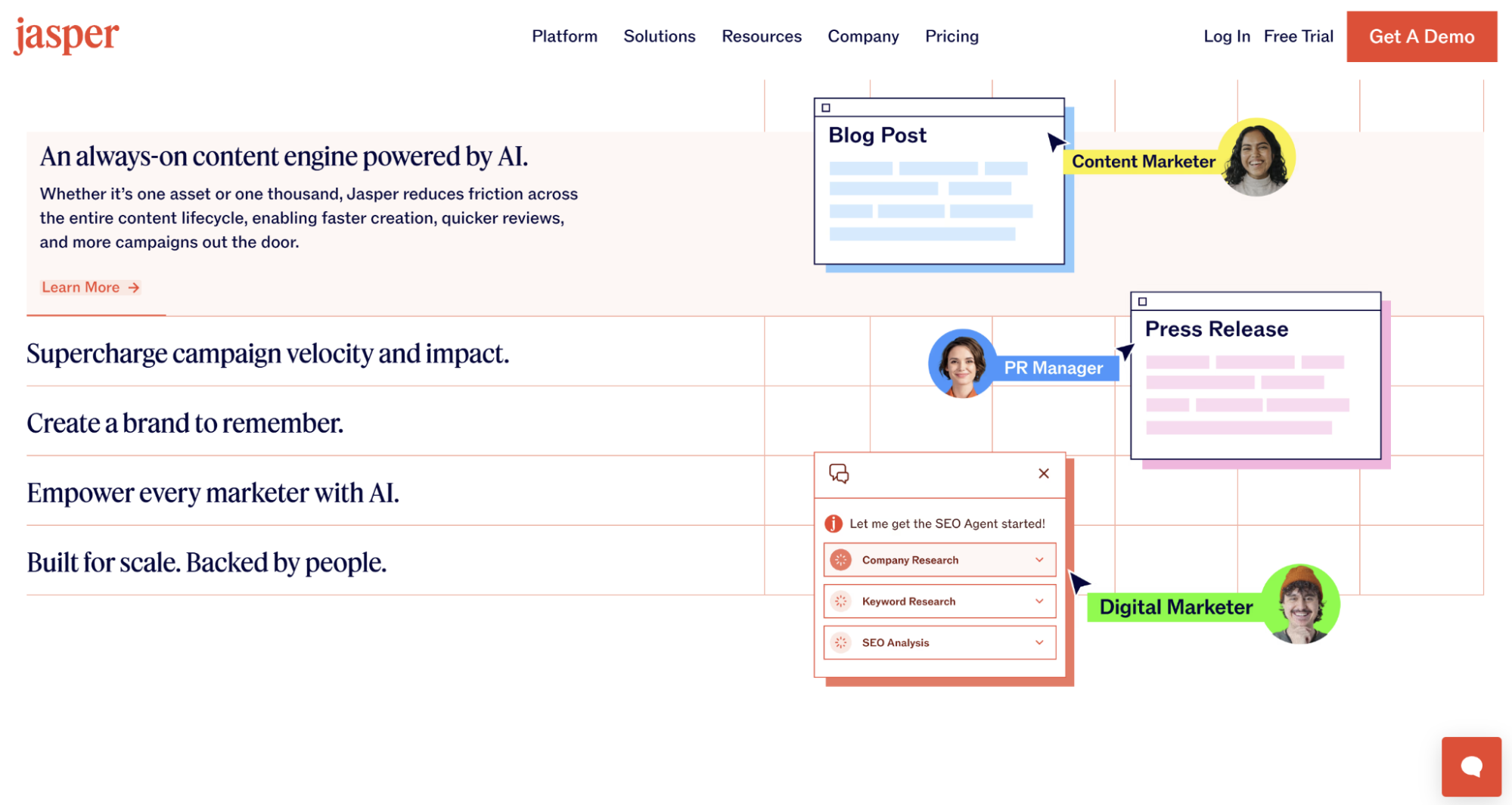
Enter Jasper, an AI-powered writing assistant that doesn’t sleep, doesn’t get distracted, and can churn out first drafts in seconds. Whether you’re drafting blog posts, press releases, email sequences, or product descriptions, Jasper gives your team a serious productivity boost.
Unlike generic AI tools, Jasper is built for marketers—with templates, workflows, and customization options that make it easy to clone your brand’s voice at scale.
Key Features
- 50+ Content Templates: From blog intros to Instagram captions, Jasper gives you plug-and-play frameworks to generate targeted copy instantly.
- Brand Voice Profiles: Teach Jasper how your brand sounds and it’ll mirror that tone across every piece of content—no robotic, generic fluff.
- Jasper Chat: A conversational interface that lets you give detailed instructions or refine content through natural prompts.
- Surfer SEO Integration: Optimize your content as you write, with real-time keyword suggestions and on-page SEO guidance.
- Multiple Language Support: Write in 30+ languages, making it ideal for international campaigns and localization.
Pros
- Super fast way to generate high-quality first drafts (as starting points).
- Brand voice customization makes content feel on-brand, not AI-generated.
- Easy to use, even for non-writers or content newbies.
- Integrates well into existing workflows (Google Docs, Surfer SEO, WordPress, etc.)
Cons
- You’ll still need to edit and fact-check. Jasper is smart, but far from infallible.
- Not great for deeply technical or opinionated content without heavy prompting.
- Can get expensive if your team scales or needs higher word-count limits.
Best For
Marketing teams, founders, and content agencies that need to produce a lot of content quickly without sacrificing quality or tone.
Pricing
- Pro Plan: $69 per seat/month. 1 seat, 2 Brand Voices, 5 Knowledge Assets, 3 Audiences, Canvas platform, essential apps, etc.
- Business Plan: Contact sales. Tailored based on the size of the team, features, etc. Includes everything in Pro plus advanced apps, no‑code AI App Builder, unlimited customization (Brand Voices, Knowledge Assets, Audiences), API access, enterprise-grade governance, priority support, etc.
Jasper offers a 7‑day free trial for its Pro plan so you can test features risk‑free.
3. Canva (for Creating Branded Visuals in Minutes)

There was a time when designing graphics meant hiring a pro, learning Adobe tools, or settling for pixelated stock images. Not anymore.
Canva has completely changed the graphics game, giving content marketers and business owners the power to create fairly attractive, on-brand visuals without any design background. Whipping up a blog banner, social media carousel, LinkedIn PDF, or pitch deck is now ridiculously easy with Canva.
Its drag-and-drop interface, brand kit, and massive template library mean you can design like a pro, even if the last thing you designed was a PowerPoint in 2012.
Key Features
- Thousands of Templates: For everything from blog headers and Instagram posts to pitch decks, infographics, and YouTube thumbnails.
- Drag-and-Drop Editor: Simple, intuitive UI that works for absolute beginners and power users alike.
- Brand Kit: Upload your logos, fonts, and color palette once and apply them consistently across all designs.
- Magic Resize: Repurpose one design for multiple platforms (e.g., IG post → Story → LinkedIn graphic) with a single click.
- Content Planner: Schedule and publish designs directly to your social media accounts.
- Collaborative Workspaces: Invite teammates, leave comments, and work on the same file together in real time.
Pros
- Extremely beginner-friendly.
- Templates for almost every marketing format imaginable.
- Brand consistency is easy to maintain across formats and team members.
- Affordable compared to traditional design tools or freelancers.
Cons
- Limited control for advanced design needs. Not a replacement for Illustrator or Photoshop.
- Overused templates can feel generic if not customized well.
- The mobile app, while handy, is still more limited than the desktop version.
Best For
Marketers, solopreneurs, and growing teams who want to create eye-catching content fast, without depending on a designer for every social post or presentation.
Pricing
- Free plan: Generous access to templates, tools, and 5 GB storage.
- Pro: $12.99/month (or $119.99/year). Includes Brand Kit, background remover, 1 TB storage, and 100M+ premium assets.
- Teams: Starting at $14.99/month per user. Adds collaborative tools, workflow approvals, and brand management features.
Canva also offers free access for nonprofits and discounts for educators.
4. Hunter.io (for Finding Email Addresses)
You’ve written the perfect blog post. Or designed an infographic prettier than Ana de Armas. Now what?
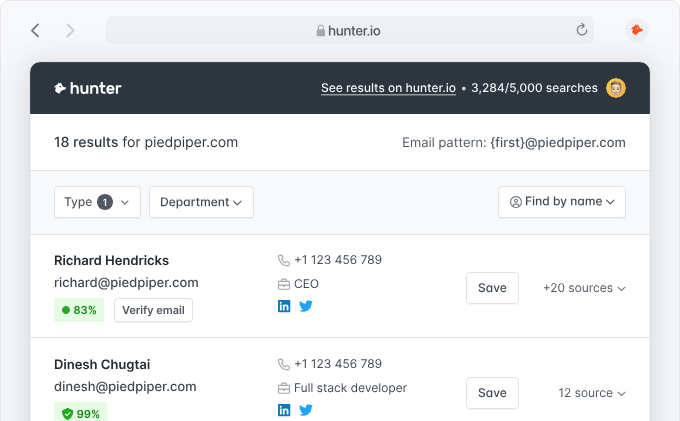
Without the right distribution strategy, even your best content would sit there gathering dust. That’s where Hunter.io comes in. It helps you find verified email addresses tied to any domain or person so you can actually get your content seen.
From link-building outreach to PR campaigns and guest post pitches, Hunter is your go-to tool for tracking down the right people (without spending hours digging through “Contact Us” pages).
Key Features
- Domain Search: Instantly pull up all email addresses associated with any website—complete with names, job titles, and sources.
- Email Finder: Have someone’s name and company? Hunter can pinpoint their likely email address with a high confidence score.
- Email Verifier: Clean your lists with accurate verification to avoid bounce rates and protect your sender reputation.
- Bulk Tasks: Find or verify thousands of emails at once. Perfect for scaling outreach campaigns.
- Campaigns: Send cold emails directly through Hunter by connecting Gmail or Outlook. Includes follow-ups and reply tracking.
- Chrome Extension: Find email addresses without leaving the page, especially useful for browsing LinkedIn or company sites.
Pros
- Saves hours of manual contact hunting.
- High accuracy with built-in email verification.
- Super clean interface. Even non-techies can use it like a pro.
- Unlimited team members on every plan.
Cons
- Not every contact can be found (especially for smaller/newer sites).
- Cold outreach tools are basic. Not a full-fledged CRM or email automation suite.
Best For
Content marketers, SEOs, and PR pros who need to reach the right decision-makers for backlinks, guest post pitches, influencer partnerships, or digital PR.
Pricing
Free Plan: 25 searches and 50 verifications/month.
- Starter: $49/month. 500 searches + email campaigns.
- Growth: $149/month. 5,000 searches + more advanced features.
- Business: $499/month. 50,000 searches, priority support, advanced integrations.
All plans come with unlimited users, and you can buy extra credits on demand if needed.
5. Moosend (for Powerful Email Marketing and Automation Without the Hefty Cost)
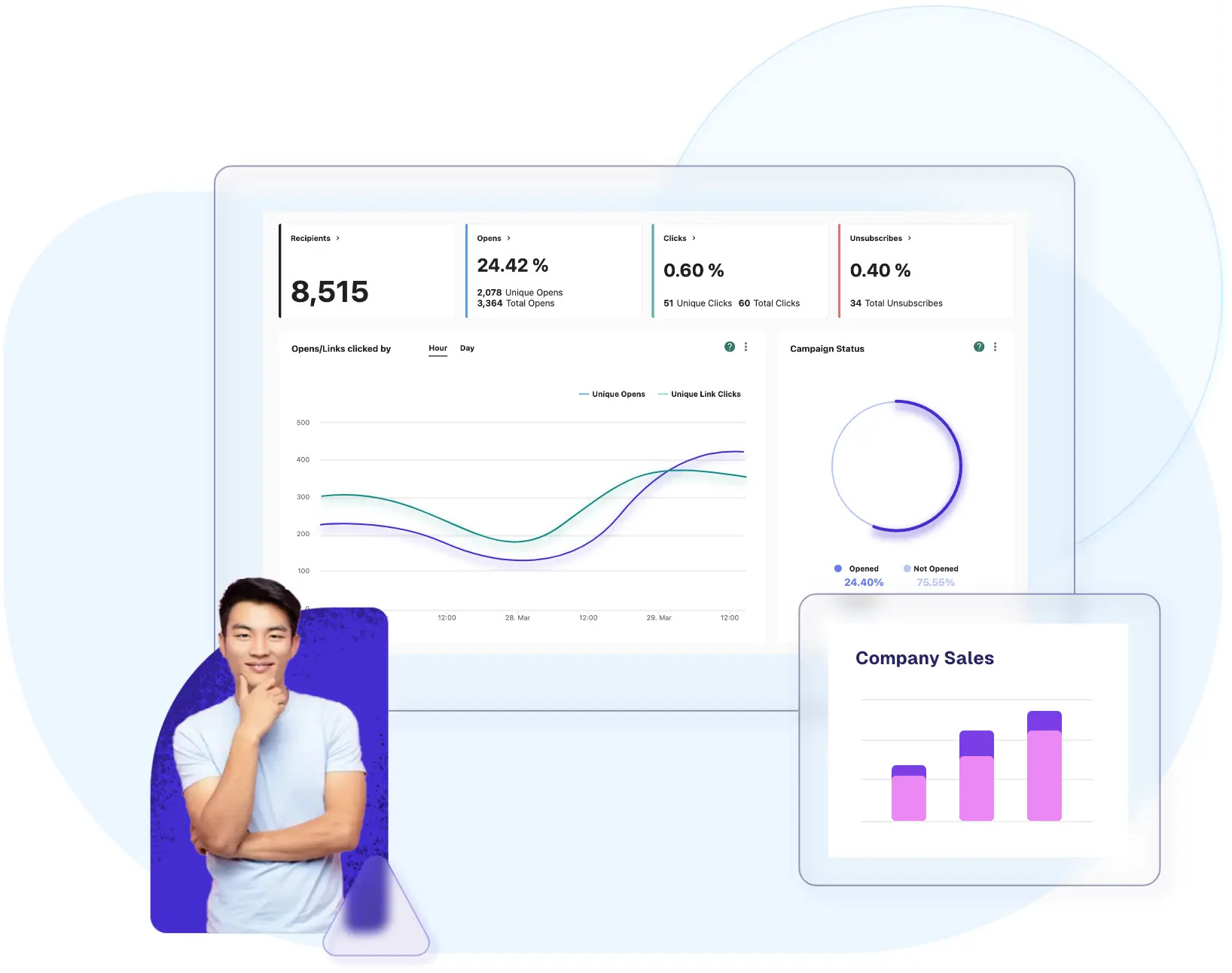
If “send newsletter + follow up = headache” sounds familiar, Moosend is made to simplify that. It packs serious email marketing, landing pages, and automation firepower into an affordable, easy‑to‑use platform.
It’s ideal for content marketers who want to nurture targeted audiences instead of just shouting into an echo chamber.
Key Features
- Email Campaigns and Newsletter Builder: Drag‑and‑drop composer, templates, responsive design; build campaigns that look good and deliver.
- Marketing Automation Workflows: Automate welcome sequences, re‑engagement, behavior‑based triggers, cart abandonment, etc. All without needing dev support.
- Landing Pages and Subscription Forms: Build lead magnets, capture audiences, test forms (no coding required).
- Segmentation and Personalization: Use dynamic content, tags, and custom fields to tailor emails to audience behavior (opens, clicks, etc.). Better relevance means better performance.
- Built-in AI Features: Product recommendations, audience discovery, subject‑line testing, and content suggestions to speed up creative work and improve conversions.
- Reporting and Analytics: Real‑time stats like open rates, click‑throughs, and subscriber behavior. Useful for tweaking content (when did people drop off? which subject lines worked?).
Pros
- Very affordable to start, even with powerful automation.
- Unlimited email sends (depending on contact tier) is a big win if you send often.
- Good UI with a low learning curve. Content teams can design, test, and send without deep tech dependencies.
- AI‑powered tools that reduce manual work: recommendations, automated content, and segmentation. Helps scale without scaling overhead.
- Solid deliverability and support; many users report emails land reliably.
Cons
- Missing some advanced outreach features (multi‑channel), focuses mostly on email and landing pages. If you need SMS or push, you’ll need extra tools.
- Native integration gaps. Some platforms may require Zapier or APIs rather than built-in connectors.
- A/B testing is solid, but multivariate testing (many variants at once) is limited or less flexible.
- The free trial is generous, but once you grow your contact list, costs can rise, and some enterprise features are only in custom plans.
Best For
Content marketers, small to mid-sized businesses, and creators who need reliable email and automation workflows without paying enterprise-level prices. If you send newsletters consistently, want to build subscriber funnels, nurture leads, and convert via email, Moosend is a good bet.
Pricing
- Pro Plan: Starts at $9/month for ~500 subscribers, with unlimited emails and most of the email list, automation, and landing page features included.
- Moosend+ Plan: Custom-built plan with add‑ons such as transactional emails, dedicated IPs, etc.
- Enterprise: For high contact volumes, priority support, SSO/SAML, account manager, etc. Custom pricing.
There’s a free trial for 30 days with access to core features (no credit card required).
6. BuzzSumo (for Data-driven Content Ideation)
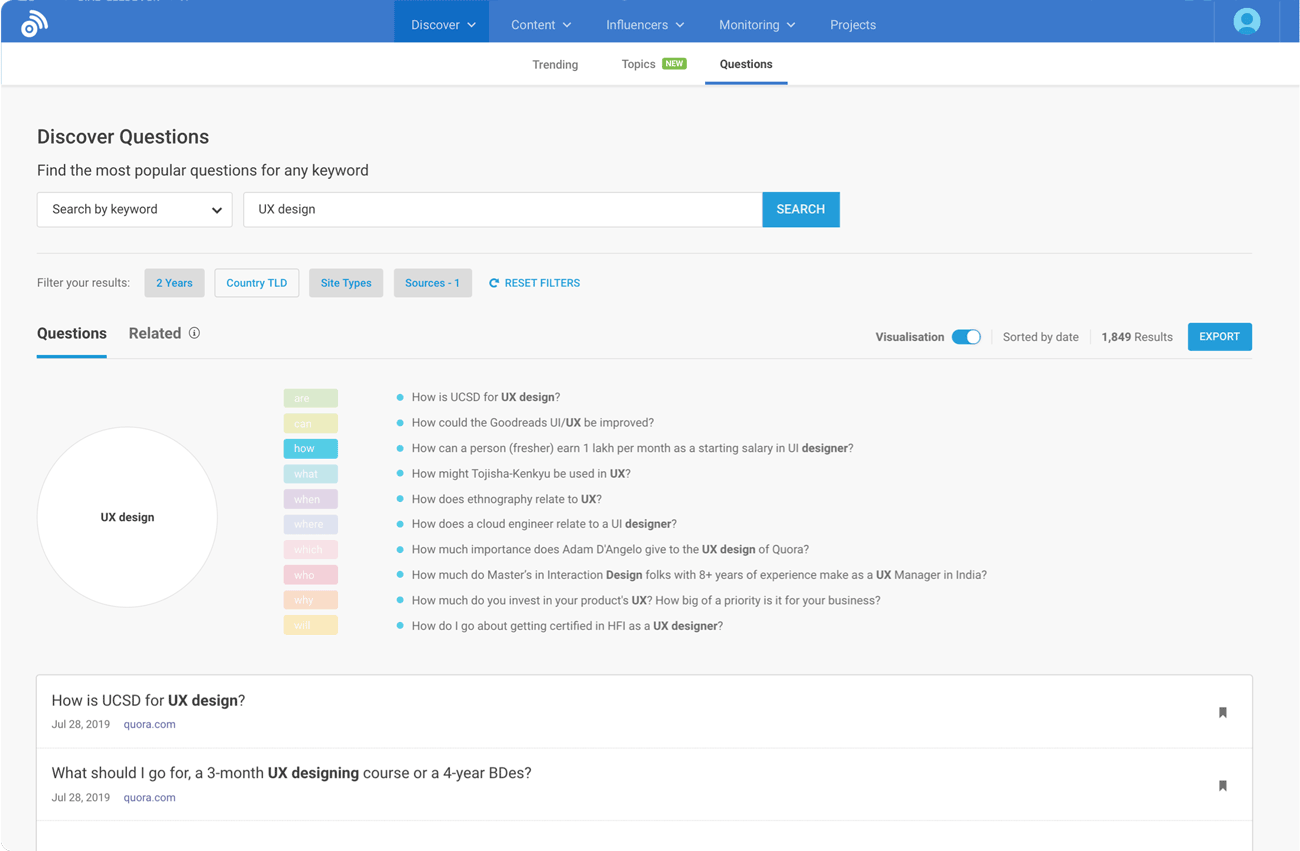
At its core, BuzzSumo is all about seeing what’s already working, then creating something better. It shows you the most engaging content in your niche, who’s sharing it, and which formats or headlines are gaining traction, all backed by real-time data.
Whether you’re planning your next blog series, crafting thought leadership, or pitching content to influencers, BuzzSumo arms you with insights that are actually worth acting on.
Key Features
- Content Analyzer: Search any topic or domain to see top-performing content by engagement (likes, shares, backlinks) across Facebook, X (Twitter), Reddit, and more.
- Trending Now: Stay ahead of the curve with real-time insights into what’s going viral today in your niche.
- Question Analyzer: Find questions your audience is asking on Reddit, Quora, and forums—perfect for writing blog posts that answer real needs.
- Influencer and Author Discovery: Identify key people who are shaping the conversation around your niche so you can reach out, collaborate, or analyze their strategy.
- Alerts: Get notified when your brand, competitors, or chosen topics get mentioned or linked. This is great for tracking performance and opportunities.
Pros
- Unmatched insight into what content formats, topics, and headlines actually perform.
- Great for content ideation backed by data.
- Helps you discover influencers and authors who can amplify your content.
- User-friendly UI and powerful filters (by country, language, content type, etc.).
Cons
- Pricing might be steep for smaller teams or solo creators.
- Doesn’t help with content creation or distribution. It’s purely analytics and research.
- Social shares data can be limited for some networks due to API restrictions.
Best For
Content strategists, editorial leads, and marketers who want to back every content idea with real performance data. Especially useful when you’re building pillar content, trendjacking, or just need a spark of inspiration.
Pricing
- Free Plan: Limited searches per month with basic features.
- Content Creation: $199/month. Access to content analyzer, alerts, and some influencer tools.
- PR & Comms: $299/month. Includes a journalist database and deeper media monitoring.
- Suite: $499/month. For large teams, adds YouTube analyzer, advanced filters, and more exports.
- Enterprise: Custom. For high-volume search/reporting needs.
Annual plans save ~20%, and a 30-day free trial is available on all paid tiers.
7. CoSchedule (for Organizing Your Entire Content Calendar)

If your content planning still lives in a messy Google Sheet or buried Slack threads, it’s time to grow up.
CoSchedule gives you a centralized, visual calendar to plan, track, and collaborate on every piece of content (blogs, emails, social posts, campaigns, and beyond). It’s like your editorial calendar, task manager, and social scheduler all rolled into one.
The result? You finally know what’s publishing, who’s responsible, and whether it’s on track (without juggling six tools or nagging your teammates).
Key Features
- Marketing Calendar: A clean, drag-and-drop interface where you can see your entire content pipeline in one view—blog posts, emails, launches, you name it.
- Task Management: Assign tasks, set deadlines, add checklists, and create reusable workflow templates for blog posts, newsletters, or social campaigns.
- Social Publishing: Schedule and publish content across all major platforms (LinkedIn, X, Instagram, Facebook, Pinterest) directly from the calendar.
- ReQueue: Automatically recycles your best evergreen social posts to fill content gaps.
- Collaboration Tools: Comment on projects, @mention teammates, and get automatic updates, so everyone’s on the same page, literally.
Pros
- Crystal-clear visibility over your content schedule and team progress.
- Saves time by replacing 3-4 separate tools with one.
- Reusable templates equal fewer dropped balls and more consistency.
- Scales well, from solo content creators to full-blown marketing teams.
Cons
- Paid plans can get expensive as your team grows.
- Focuses more on organization than creation. You’ll still need other tools to write, design, or optimize.
- The mobile app is improving, but it’s best used on a desktop for full control.
Best For
Content managers, editorial leads, and teams juggling multiple formats, teammates, and deadlines. Especially useful if your content is spread across a blog, email list, and social media, and you need to keep it all running on schedule.
Pricing
- Free Plan: 1 user, 1 calendar, 2 social profiles. Decent for solo creators.
- Social Calendar: $19/user/month (billed annually). Adds unlimited social posts, ReQueue, bulk scheduling, analytics, and collaboration.
- Agency Calendar: $59/user/month (billed annually). For agencies needing Calendars for each of their clients.
- Content Calendar and Marketing Suite: Custom pricing. For larger teams managing multiple calendars, workflows, and clients.
All plans come with a 14-day free trial, and there are discounts for nonprofits and educators.
8. Repurpose.io (for Turning One Piece of Content into Ten)
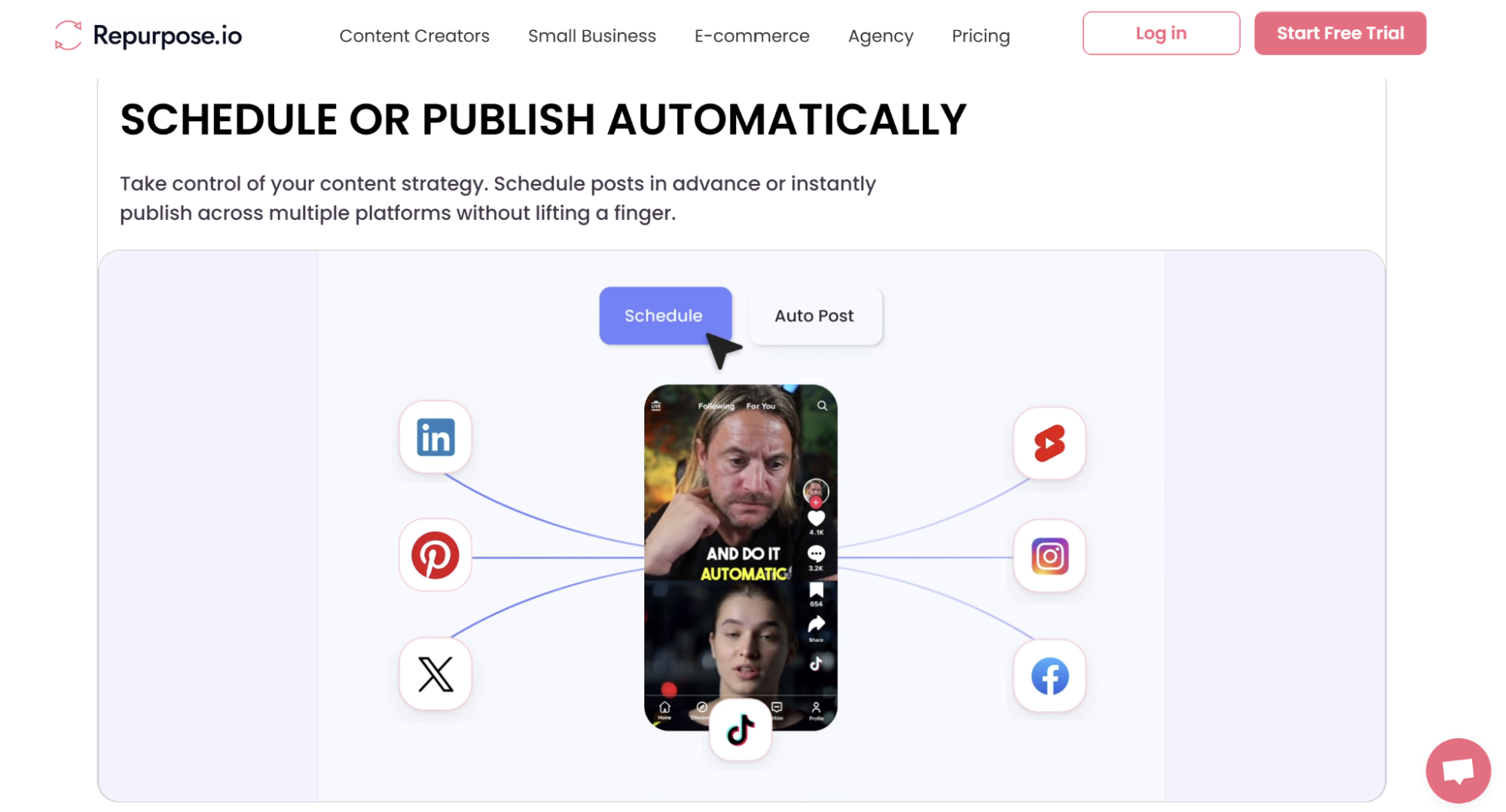
Creating truly great video content is hard. But once it’s made for one channel, why not squeeze the most out of it by repurposing across the rest?
Repurpose.io is a content distribution and automation tool that lets you do exactly what its name says—take a podcast, YouTube video, live stream, or short clip and repurpose it across every major platform automatically.
So, you record once, and Repurpose.io turns it into scheduled TikToks, Reels, Shorts, LinkedIn posts, and more. No editing, downloading, or manual posting.
Key Features
- Automated Workflows: Set up “if this, then that” style automations. For example, every new YouTube video gets clipped, watermarked, and posted to 3 platforms.
- Multi-Platform Support: Works with YouTube, TikTok, Instagram, Facebook, LinkedIn, Zoom, Dropbox, Google Drive, and more.
- Video Cropping and Reformatting: Convert horizontal videos into vertical snippets, trim clips, add headlines, and optimize for each platform.
- Audio to Video Conversion: Turn podcast episodes into audiograms with captions, waveform animations, and visual overlays.
- Content Scheduling: Choose whether to publish right away or schedule posts for later, all within the same workflow.
- Watermark Removal: Avoid platform penalties by auto-removing things like TikTok watermarks when reposting.
Pros
- Saves hours of manual editing and publishing per week.
- Allows solo creators and small teams to maintain a presence across 5+ platforms effortlessly.
- Easy to set up and run. No video editing experience is required.
- Great for maximizing reach from live streams, webinars, podcasts, or long-form video.
Cons
- Best suited for video and audio content. It’s not helpful for repurposing blogs or written content.
- Workflow setup requires some upfront planning (but only once).
- Minor limitations with auto-cropping or audio sync may need occasional manual tweaks.
- No deep analytics. You’ll still need to track performance on native platforms.
Best For
Content creators, podcast hosts, marketers, and small businesses who want to extend the reach of every piece of content without hiring a full post-production team.
Pricing
- Starter Plan: $35/month. 1 user, up to 5 social accounts per platform, 5,000 minutes/month.
- Pro Plan: $79/month. 1 user, 10 accounts per platform, unlimited publishing, branding, and advanced workflows.
- Agency Plan: $179/month. Manage multiple clients with up to 25 accounts per platform.
There’s a 14-day free trial available that allows you to republish up to 10 videos to test the platform.
9. LLMs (for Research, Ideation, and First-Draft Support)

LLMs like ChatGPT are quickly becoming the default research companion for content marketers. When you need to brainstorm headline ideas, explore fresh content angles, validate your outline, or just want to overcome writer’s block, ChatGPT helps move things forward fast.
And while it’s no substitute for subject matter expertise (especially in technical or regulated industries), it’s an incredibly powerful assistant at every stage of content creation.
Key Features
- Idea Generation: Feed ChatGPT a keyword, audience persona, or content goal, and get a list of potential blog topics, formats, angles, or headlines.
- Outline Structuring: Build out coherent, logically ordered content outlines based on current best practices, competitor’s high-ranking content, and audience search intent.
- Explainer Summaries: Quickly draft first-pass paragraphs, FAQs, product copy, and meta descriptions or schema markup.
- Research Shortcuts: Ask clarifying questions about a topic, get definitions, or explore frameworks without opening 20 browser tabs.
- Editing and Refinement: Rewrite clunky paras, simplify complex text, or polish your tone to match your brand voice.
- Custom Instructions and Memory (Pro users): Save your brand tone, audience details, and formatting preferences so ChatGPT gets more accurate with every session.
Pros
- Unmatched speed and flexibility. From headline to meta tags, ChatGPT adapts to your use case.
- Enables non-writers to produce content faster and reduces dependency on freelancers or senior editors for early drafts.
- Great for marketers who need a sounding board or creative collaborator when stuck.
- With the right prompts, it works well for content ideation, outlining, and bulk generation tasks.
Cons
- Requires human oversight, especially for factual accuracy, tone alignment, and subject-specific authority.
- Spits generic or fluffy content without strong prompting.
- Not a replacement for in-depth content research or expert, experienced-backed original insight.
- Occasionally overconfident in its answers and hallucinates facts.
Best For
Marketers, freelancers, and small teams who want to speed up research, outlining, and drafting without overly sacrificing editorial control or brand tone. It’s especially valuable in the early stages of content development and for turning rough ideas into structured, usable outputs.
Pricing
- Free: $0/month. Access to GPT-5, basic web search, limited file uploads, image generation, voice, code edits.
- Plus: $20/month. Everything in Free, plus extended limits, advanced voice/video, access to ChatGPT Agent, and early access to features.
- Pro: $200/month. Unlimited access to GPT-5, GPT-5 Pro features, advanced voice/video, and expanded tools.
- Business: $30/user/month (billed monthly). Secure team workspace, admin controls, connectors, data exclusion from training, shared GPTs.
- Enterprise: Custom pricing. Enterprise-level security, compliance, long context windows, unlimited users, priority support, and usage controls.
The free version of ChatGPT is available to everyone and enough for basic tasks.
Bonus: AmpiFire (for One-Topic, Multi-Format Content & 300+ Site Distribution)
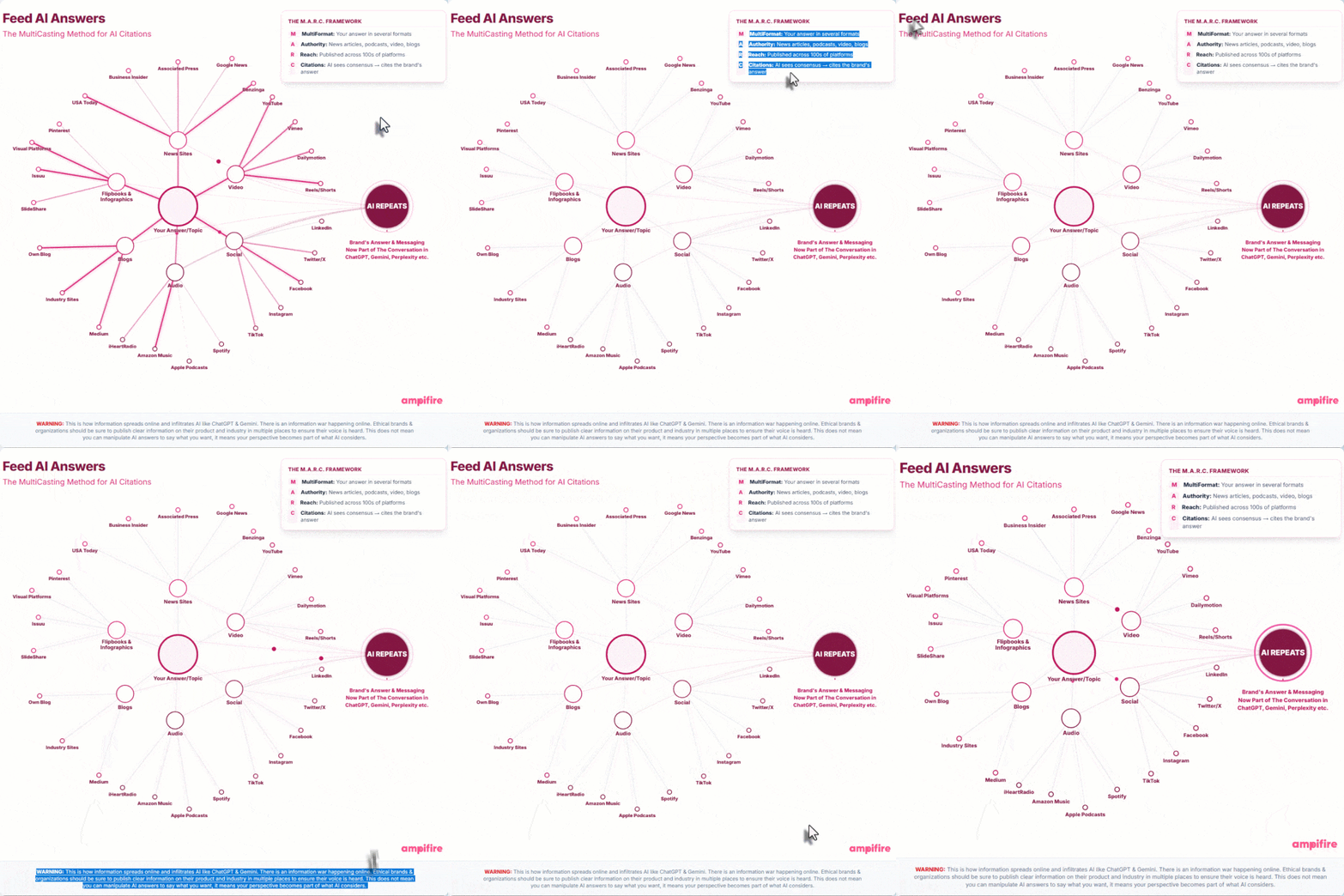
Most content tools stop once you’ve got one blog post or one video. Meanwhile, the buyer you’re trying to reach is checking Google, YouTube, TikTok, podcasts, and AI answers before they decide who to buy from. 93% of people now research a purchase before making it, and a single post doesn’t cover all those channels.
AmpiFire is a content creation and distribution platform built to close that gap. Give its AmpCast AI engine one topic, and it builds eight formats: news articles, social posts, reels/shorts, infographics, interview podcasts, flipbooks/slideshows, blog posts, and longer informational videos. It then publishes every format to 300+ sites, including YouTube, Spotify, Google News, Apple Podcasts, Pinterest, LinkedIn, and local Fox-affiliate news sites, all without paid ad spend.
Paid ads alone tend to land a 1-3x return. Brands running organic multi-channel content through AmpiFire report 5-50x return on content spend, since buyers who see a brand across search, social, video, and podcasts before an ad reaches them convert at a higher rate. Skip the organic side, and that research traffic tends to go to whichever competitor already shows up in those channels.
Key Features
- 8-format content generation: Turns a single topic into news articles, social posts, reels/shorts, infographics, interview podcasts, flipbooks/slideshows, blog posts, and longer informational videos.
- 300+ site distribution: Publishes to YouTube, Spotify, Google News, Apple Podcasts, Fox-affiliate news sites, Pinterest, and LinkedIn, among others, in one pass.
- AI voices and video: Includes 20+ AI voices for podcasts and video, plus vertical reels sized for TikTok, Instagram, and YouTube Shorts.
- AI citation building: Positions a brand as a source referenced inside ChatGPT, Gemini, and Google’s AI answers.
- Direct social posting: Connects to Facebook, Instagram, and LinkedIn to publish automatically without manual uploads.
Pros
- Produces eight content formats and publishes to 300+ sites from a single topic, covering what would otherwise take 5-8 separate tools.
- Builds a traffic asset that keeps working after a campaign ends, instead of resetting every time an ad budget changes.
- Raises conversion rates on existing paid ads, since buyers researching across channels find the brand before the ad reaches them.
- Offers DIY, done-for-you, and fully managed service levels depending on how hands-on a team wants to be.
Cons
- Results build over weeks and months rather than instantly, so it suits brands planning for long-term growth over quick wins.
- Best suited to brands with the margin to invest in ongoing content and distribution, rather than one-off or impulse-purchase offers.
- On the self-serve tier, someone still needs to input topics and review the AI-generated drafts before they publish; fully hands-off automation is only available on the done-for-you and managed tiers.
Best For
E-commerce brands with higher-margin products, health and fitness companies, agencies reselling content services to clients, multi-location businesses that need consistent local coverage, and brands already running paid ads that want those ads to convert better.
Wrapping Up
Content marketing success in 2025 (and beyond) isn’t about pumping out more run-of-the-mill content without a proper strategy and manual workflows.
With the right tools, you can streamline your workflows, create stronger content backed by real data, reach the right people, and track what’s actually resonating. Each tool on this list solves a modern content challenge and gives you time back to focus on strategy, creativity, and growth.
That said, tools are only as good as the hands using them.
If you want expert help in building a content engine that actually drives traffic and leaves, you’re in the right place. Get in touch with Growfusely to talk about how to scale your brand’s content marketing measurably.
FAQs
What are Content Marketing Tools?
Content marketing tools are digital platforms or software that help businesses create, manage, distribute, and measure content across various channels. These can range from content strategy tools for planning and ideation, to content marketing automation tools that streamline distribution, to content marketing analytics tools that track performance. Whether you’re looking to build authority, generate leads, or grow traffic, these tools are the backbone of any solid strategy.
What is a Content Marketing Platform, and How is it Different From Individual Tools?
A content marketing platform typically offers an all-in-one solution for managing your entire content lifecycle, from planning and creation to publication and analytics. While standalone tools for content marketing might focus on one function (like SEO or email marketing), platforms like CoSchedule or HubSpot Marketing Hub combine multiple capabilities under one roof, making them ideal for teams needing enterprise content marketing tools.
What are the Best Tools to Use for Content Marketing in 2025?
The best tools for content marketing depend on your business size and goals, but here’s a quick stack that covers all bases:
- Semrush: Keyword research & SEO insights (best content marketing SEO tools)
- Jasper: AI-powered copywriting (AI content marketing tools)
- Canva: Content design made easy (marketing content creation tools)
- Moosend: Email marketing and automation (marketing content automation tools)
- BuzzSumo: Research and trend analysis (content strategy tools)
- Surfer SEO: Content optimization based on real SERP data
- Repurpose.io: Video repurposing and distribution
- Hunter.io: Email discovery for outreach
Many of these are also among the best content marketing tools for small businesses, thanks to their ease of use and affordable pricing.
What are the Best AI Tools for Content Marketing?
The best AI tools for content marketing in 2025 go beyond simple text generation—they support ideation, personalization, optimization, and distribution. Top picks include:
- Jasper for branded, on-demand content creation
- Canva’s Magic Studio for AI-powered design
- Moosend for AI-driven segmentation and email automation
- Repurpose.io for auto-editing and publishing short-form videos
Together, these content marketing AI tools help marketers scale without sacrificing quality, especially in fast-paced B2B or omnichannel environments.
Are There Any Free Content Marketing Tools Worth Using?
Absolutely. Some of the most popular free content marketing tools include:
- Canva Free: For creating visuals and social content
- BuzzSumo (Free tier): To research trending content ideas
- Google Trends: To identify search interest over time
- AnswerThePublic: For uncovering common audience questions
- Hunter.io (Free plan): To find limited email addresses for outreach
While free tools have limitations, they’re a great way to get started, especially for startups or marketers testing different content marketing tools and tactics.
Which Tools Help with Content Marketing Tracking and Performance?
To truly improve your content strategy, you need content marketing tracking tools that go beyond vanity metrics. Here are some great picks:
- Google Analytics 4: Core performance and user behavior
- BuzzSumo: Tracks engagement, backlinks, and shares
- CoSchedule: Monitors publishing consistency and social engagement
- Moosend: Campaign-level performance tracking for email
For more advanced use cases, look for content marketing analytics tools that integrate with your CRM and help tie content back to leads and revenue.
Why do B2B SaaS Businesses Need Content Marketing Tools?
B2B SaaS companies rely on long-term, trust-based relationships. Content marketing tools help streamline and speed up everything from SEO and lead generation to thought leadership. This makes them essential for scaling brand awareness and driving conversions efficiently.
What Features should I Look for in a Good Content Marketing Tool?
Look for features like SEO optimization, content planning, automation, analytics, AI-powered writing, and team collaboration. The best content marketing tools for small businesses often combine several of these into one user-friendly platform.
How do I Know Which Tool is Right for my Company Size and Stage?
Startups may benefit more from free content marketing tools or affordable all-in-one platforms. Growing teams may prefer content marketing automation tools with advanced workflows. Large enterprises should consider enterprise content marketing tools with robust integrations and user management.
Can these Tools Integrate with My Existing Tech Stack?
Yes. Most modern tools for content marketing offer native integrations or APIs for CRMs, CMSs, analytics platforms, and email software. A good content marketing platform should fit smoothly into your workflow without too much hassle.
How do I Measure ROI from Using These Tools?
Use content marketing analytics tools to track traffic, engagement, conversion rates, and content performance. Content marketing tracking tools provide dashboards to connect these metrics to business outcomes.
Are these Tools Beginner-friendly or do They Require a Learning Curve?
Many of the best tools for content marketing now offer intuitive dashboards, tutorials, and templates. However, some enterprise content marketing tools may involve a steeper learning curve due to their depth and customization options.
What’s the Typical Cost Range for Enterprise-grade Content Marketing Tools?
Enterprise content marketing tools often start around $500/month and can scale into thousands depending on features, seats, and support. For smaller teams, free and mid-tier plans of AI content marketing tools can be very cost-effective.
Do these Tools Help with SEO and AI-driven Content Optimization?
Absolutely. The best content marketing SEO tools and AI tools for content marketing now include features like keyword clustering, on-page optimization, content scoring, and predictive analytics.
How do These Tools Support Collaboration Between Marketing, Product, and Sales Teams?
Content strategy tools often include shared calendars, approval workflows, and content briefs. This enables seamless collaboration across departments. Marketing content automation tools also keep everyone aligned with centralized messaging.
Are There Security or Compliance Considerations I should Check Before Adopting a Tool?
Yes. Especially for enterprise-grade platforms, ensure the content marketing tool follows GDPR, SOC 2, or HIPAA (if applicable). Review data storage (and usage for training AI models), access controls, and integration policies before onboarding.

Pratik Dholakiya is the Founder of Growfusely, a SaaS SEO and AI Search Visibility agency.
